 Chat Archive Viewer
Your old AI chats, back in one list.
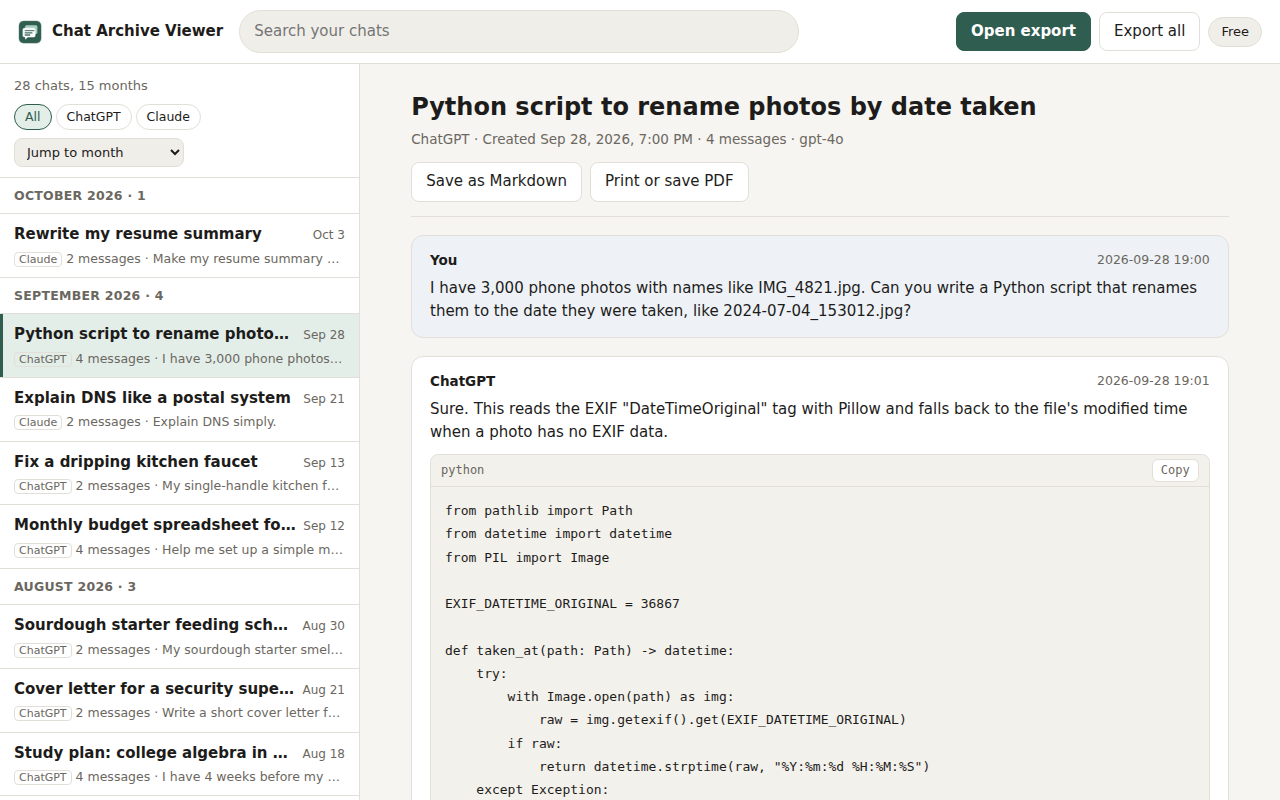
Open the data export you downloaded from ChatGPT or Claude. See every chat by month, search all of them, and save any chat as Markdown or a complete PDF. Nothing leaves your device.
What it does
Every chat, by month
A complete list, newest first, grouped by month with a jump-to-month menu. Browse instead of guessing search words.
Search every message
Full-text search across titles and message text, with the matching line shown under each result.
Whole-chat PDF and Markdown
The print layout includes the entire conversation, first message to last. Markdown keeps code blocks and their language.
Built for huge exports
The file is read in small pieces in the background. In our tests a 900 MiB export (12,200 chats) opened in 3 to 5 minutes, and no Chrome process went past about 390 MiB.
The version you kept
Edited prompts and regenerated replies are stored as a tree in the export. You see the branch you kept, with a note when a chat had edits.
Obsidian vault (Pro)
One note per chat with front matter (title, source, dates, model, tags) and an index note by month.
Private by design
- It reads only the export file you choose, inside its own tab.
- Your archive is stored in your browser. Clear it any time, or uninstall to remove it.
- No accounts, no analytics, no tracking. The only network call is a Pro license check, and only after you open checkout.
Pricing
| Free | Pro, $12 one-time | |
|---|---|---|
| Open, read and search | Newest 100 chats | Every chat |
| Save one chat as Markdown or PDF | Yes | Yes |
| Export everything as Markdown files | No | Yes |
| Export an Obsidian vault | No | Yes |
| ChatGPT and Claude exports | Yes | Yes |
Checkout is handled by ExtensionPay and Stripe. No subscription.
How to get your export
ChatGPT
- Open ChatGPT, then Settings, Data controls, Export data, and confirm.
- OpenAI emails a download link. Its help page says exports can take up to 7 days and the link expires 24 hours after it arrives, so download it soon.
- Open the ZIP in Chat Archive Viewer. No need to unzip it.
Claude
- Open Claude on the web or desktop, then Settings, Privacy, Export data.
- Anthropic emails a link that expires after 24 hours.
- Open the file in Chat Archive Viewer. If it arrives without a .zip ending, drag it in anyway.
Questions
Is this made by OpenAI or Anthropic?
No. Chat Archive Viewer is an independent tool by 1088 Labs. It is not affiliated with, endorsed by, or sponsored by OpenAI or Anthropic. It only reads the export files they give you.
Does it log in to my ChatGPT account?
No. It never touches chatgpt.com or claude.ai. You download your export yourself through the official settings page, then open the file.
Are images included?
Version 1 shows where each image or file was, with its size and image prompt when the export has one. The image files themselves stay in your ZIP.
Which browsers?
Built and tested for Chrome. Other Chromium browsers that install Chrome Web Store extensions may work but are not tested yet.
Can I do this without an extension?
Yes, with a short Python script. The guides below include working scripts.
Support
Email info@1088labs.com. Never send your export file; describe the problem and the export size instead.